
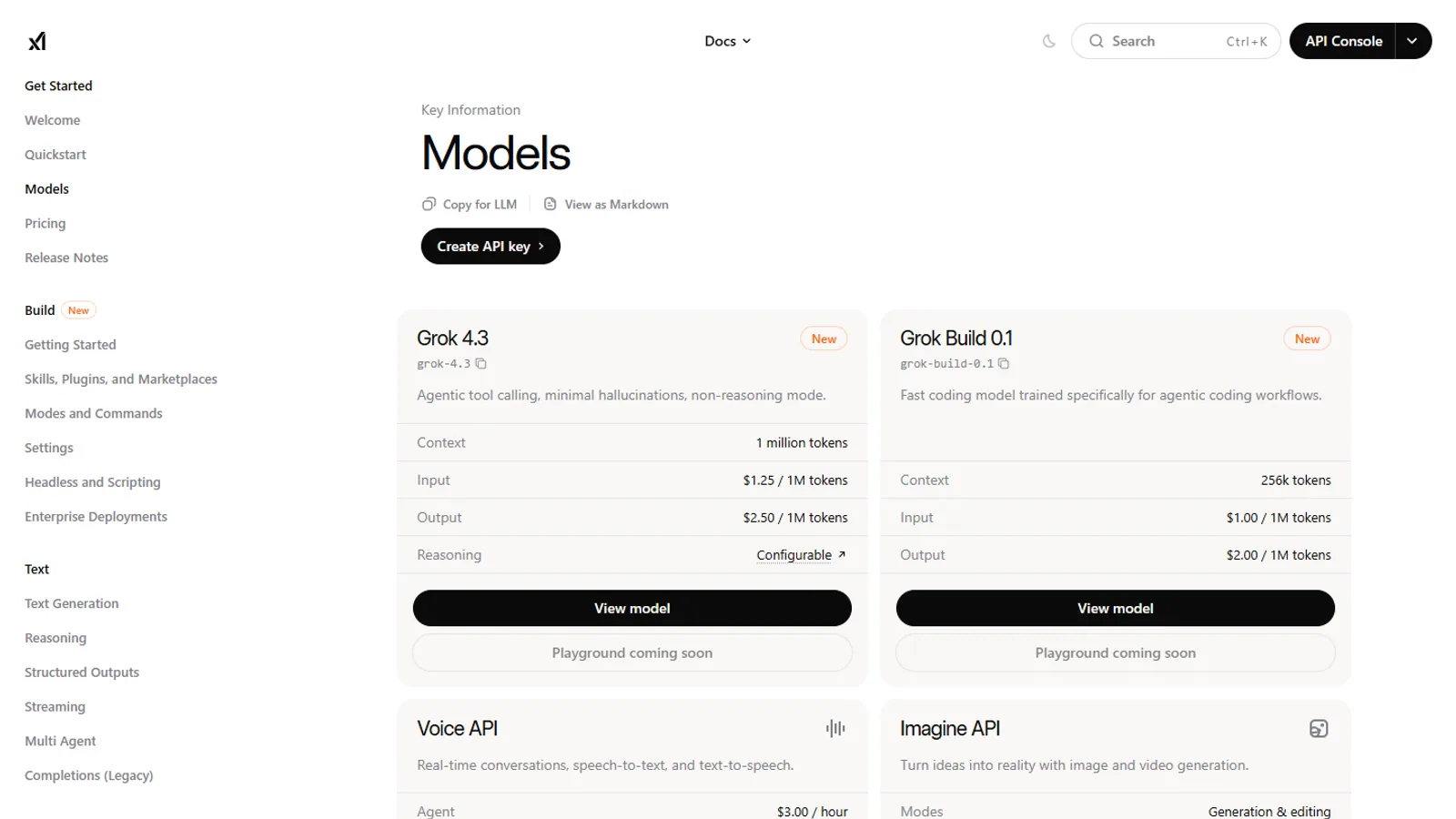
Track model changes only through official xAI pages: xAI News for release names, xAI developer docs for API model details, and pricing plus X Help for plan and account effects. Treat any model name from social media as unverified until it appears on an official xAI page.
This timeline tracks official xAI Grok release pages that matter to subscribers, developers, and AI comparison readers. It is not a rumor log. If an update does not have an official source or a clearly named external source, it does not belong here.
Current watch list
As of July 1, 2026, SuperGrok.tech tracks:
- xAI News for Grok product announcements.
- xAI developer model docs for API-facing model availability.
- X Help for Grok-on-X availability and settings.
- Official Grok app listings for app feature presentation.
Official timeline anchors
| Release page | Why it matters |
|---|---|
| Grok 4 | Baseline source for the Grok 4 generation. |
| Grok 4.1 | Follow-up release page for changes after Grok 4. |
| Grok 4 Fast | Important for speed and cost comparisons. |
| Grok 3 | Useful historical context when older articles mention Grok 3. |
| Grok-2 | Useful historical context for older comparisons. |
| Grok-1 open release | Historical context for open-release claims. |
Dated release ledger
Use this ledger as a reading map, not a substitute for xAI's own pages.
| Release anchor | Status on this page | What to verify |
|---|---|---|
| Grok 4 | Official xAI release page listed in sources | Which product surfaces and plans mention it now |
| Grok 4.1 | Official xAI release page listed in sources | Whether follow-up docs or pricing pages changed |
| Grok 4 Fast | Official xAI release page listed in sources | Speed, cost, API, and plan implications |
| Older Grok generations | Historical context | Whether an old review tested the same generation |
| Future model names | Not listed until sourced | Wait for official news or docs before treating as current |
If you see a model name on social media, do not add it to your buying decision until you can connect it to an official xAI page, developer doc, app listing, or help page.
How we update this page
When xAI publishes a major release, this page gets updated first. Then related evergreen pages are checked:
This keeps the timeline useful while making sure related guides reflect the latest official source.
What not to infer from a release page
Do not assume a model announcement means every feature is available to every user, in every plan, in every country, on every app surface. Product pages, pricing pages, app listings, and developer docs can answer different questions.
What is confirmed, inferred, and not yet sourceable
Confirmed means the claim is visible on an official page or a named source linked from the article.
Inferred means a conclusion follows from multiple sources but is not stated in one sentence by xAI. For example, if a model appears in docs and a plan page describes a product surface, the relationship may still need careful wording.
Not yet sourceable means the claim may be circulating, but this site should not present it as fact. A social screenshot, forum comment, or copied table is not enough for a current plan decision.
When a claim is inferred, the article should say what source supports each part. When a claim is not yet sourceable, the better choice is to omit it or describe what readers should watch.
How to read model announcements
Model announcements often mix technical progress, product positioning, benchmarks, and examples. Read them in layers.
First, identify the model name and release date. This tells you which generation the announcement belongs to.
Second, identify the product surface. A model may be discussed for consumer apps, X features, API use, or a broader xAI roadmap.
Third, separate benchmark claims from availability claims. A benchmark can show performance direction, but it does not tell you which plan includes the model or whether your country has access.
Fourth, check developer docs if you plan to build with the model. Developer docs answer different questions than a news post.
Reader impact checklist
When a new Grok model appears, ask:
- Does this affect the plan I use?
- Does it affect Grok on X or only standalone Grok?
- Does it affect API model names?
- Does the release mention speed, cost, reasoning, image, voice, or tool use?
- Does the change matter for my actual tasks?
If the answer is no, the announcement may be interesting but not urgent.
Announcement review template
When xAI posts a Grok update, review it with this template:
| Question | Notes |
|---|---|
| What is the exact model or feature name? | |
| What date is attached to the announcement? | |
| Which surface is mentioned: app, X, API, business, or general research? | |
| Does the page mention availability or rollout language? | |
| Does it mention speed, reasoning, cost, image, voice, tools, or context? | |
| Which related page should be checked next? | |
| Does this change a subscription decision? | |
| Does this change a developer implementation? |
This template keeps the timeline practical. It turns an announcement into a set of reader questions instead of a vague excitement cycle.
Example: how not to read an announcement
Weak reading: "xAI announced a new Grok release, so every plan must now include it and I should upgrade."
Better reading: "xAI announced a new Grok release. I need to check whether it affects the app, X, API, or a specific plan. Then I need to decide whether that change affects my tasks."
Weak reading: "A benchmark improved, so the model is best for everything."
Better reading: "A benchmark improved in a category. I should check whether that category matches my work, then test my own prompts."
Weak reading: "A social screenshot says a feature is available."
Better reading: "I should look for an official page, app listing, docs entry, or live account setting before treating it as current."
This discipline keeps the timeline useful for readers who need decisions, not just announcements.
What to update after a model change
Readers should update bookmarks and assumptions after a major model release. If you saved an old comparison, check whether it tested the same model generation. If you saved a pricing note, check whether plan positioning changed. If you saved developer code, check whether the model name in your configuration still matches xAI Docs.
The most common mistake is treating an old answer as if it describes the current product. A timeline helps because it gives each claim a date and a place in the release sequence.
Timeline context
Grok-1 and Grok-2 matter mostly for historical context. They explain why older articles, videos, or forum posts may use model names that are no longer central.
Grok 3 and Grok 4 pages matter when you compare how xAI described capability jumps across generations.
Grok 4.1 and Grok 4 Fast matter for readers tracking newer performance, speed, or product changes.
Current xAI developer docs matter for builders because the model name you can call in software may not be the same thing a consumer sees in an app headline.
How this timeline avoids confusion
This page links announcement pages and related guides rather than making unsupported claims from memory. That matters because AI product names move quickly. A release page can be accurate on its own date and still be incomplete for today's plan decision.
For current purchase decisions, use the model timeline together with xAI pricing and X Help. For development decisions, use xAI Docs.
What we will watch next
The most important changes to watch are:
- New Grok model names.
- Changes to SuperGrok or Heavy plan positioning.
- New app features that affect everyday users.
- API model changes that affect developers.
- X Help updates that affect Grok on X settings.
Each change should answer a reader question: what changed, who is affected, and where to verify it.
Subscriber and developer impact matrix
| Change type | Subscriber impact | Developer impact |
|---|---|---|
| New model generation | Re-check plan value and app availability | Check docs, model names, pricing, and migration notes |
| Speed-focused release | Useful for frequent short prompts | May affect latency and cost assumptions |
| Reasoning-focused release | Useful for planning, analysis, and coding help | Test quality on production-like tasks |
| App feature release | Re-check mobile and web behavior | Usually less relevant unless API is mentioned |
| X integration change | Check X Help and account settings | Relevant only if building around X-linked workflows |
| Pricing or plan change | Re-check renewal and upgrade decisions | Re-check API billing separately |
This matrix prevents a subscriber from overreacting to an API-only change and prevents a developer from relying on consumer app language for implementation.
Internal links to check after a release
After a major Grok release, use this route:
- Start with the official xAI release page.
- Check SuperGrok plans and pricing if the release mentions access, plans, or product positioning.
- Check SuperGrok Heavy vs SuperGrok if capacity or higher-tier value might change.
- Check Grok vs ChatGPT vs Claude vs Gemini if the release affects model comparison.
- Check Grok on X privacy settings if the release changes the X product surface or account settings.
- Check official links if you need the original source set.
This route gives readers a stable way to move from news to practical decisions.
If a release does not change any of those linked decisions, it can stay as context rather than an urgent action.
How subscribers should use the timeline
Subscribers should use the timeline as a trigger for review, not as a reason to upgrade automatically. A new model page might be exciting, but the plan question is narrower: does your plan include the change, and does the change affect your tasks?
For example, a speed-focused update matters more if you run many short prompts during the day. A reasoning-focused update matters more if your work involves analysis, planning, coding, or long explanations. A mobile app update matters more if you use Grok on a phone. An API update matters more if you build software.
When a release appears, read the official announcement once for the headline and a second time for limits. Look for words like available, rolling out, preview, API, app, X, plan, and region. Those words usually tell you whether a feature is broadly available or tied to a specific surface.
Example release review
Suppose xAI announces a new Grok model with better speed. A casual reader should ask whether their current plan includes it and whether speed was ever a problem. If the old experience was already fast enough, the release may be interesting but not worth changing plans.
A heavy researcher should ask whether the release affects long sessions, follow-up quality, capacity, or reliability during repeated prompts. If it does, the next stop is the pricing page and the Heavy comparison guide.
A developer should ask whether the model appears in xAI Docs, whether the model name is available to their account, and whether pricing or migration notes changed. A news post alone is not enough to update production software.
A Grok-on-X user should ask whether the feature appears inside X, the standalone Grok app, the API, or only in a broader xAI announcement. That one distinction prevents many wrong assumptions.
How developers should use the timeline
Developers should treat announcement pages as context and docs as the operating source. A news post can explain why a model matters, but implementation depends on the model list, endpoint behavior, pricing, and any migration notes in xAI Docs.
If a model name changes, update internal documentation, tests, and configuration deliberately. Do not swap model names in production only because a news page is live. Confirm the model is listed in the docs and available to your account.
Why older releases still matter
Older Grok releases still appear in videos, social posts, reviews, and archived comparisons. When a reader sees an older model name, this timeline helps place it in sequence. That context prevents a stale comparison from looking current.
It also helps explain why two honest reviews can disagree. They may have tested different Grok generations, different product surfaces, or different plan access.
Bottom line
Track xAI's official news page for release names. Track xAI docs for developer-facing details. Track pricing and X Help separately for subscription and account implications.
For practical buying context, read SuperGrok plans and pricing.
Questions readers ask
Why does the model timeline matter for subscribers?
Plan value can change when xAI changes model availability, capacity, or product surfaces. Readers should re-check plans after major releases.
Where should I verify a Grok model name?
Use xAI News for announcements and xAI developer docs for API-facing model details.
Sources checked
- xAI newsxAI
- Grok 4xAI
- Grok 4.1xAI
- Grok 4 FastxAI
- xAI developer modelsxAI Docs